OctoPrint is awesome, but especially if you use a Rasperry Pi 0 you want to make it boot up as quickly as possible. Here’s what you can do. I compiled this from different sources on the internet, e.g. this. Warning: Make sure you have OctoPrint up and running and make a backup of your SDContinue reading “Booting up OctoPi fast(er)”
Tag Archives: raspbian
Running GUI applications over SSH on a Raspberry Pi
Sometimes you have a RPi attached to a screen, but no keyboard or mouse attached and want to run GUI applications on it via SSH. This will also let you cross-compile RPi applications on a development machine and test them on the real machine. Prepare the RPi for ssh access To enable SSH access onContinue reading “Running GUI applications over SSH on a Raspberry Pi”
Adding backlight control to a 5″ HDMI screen (and Kodi)
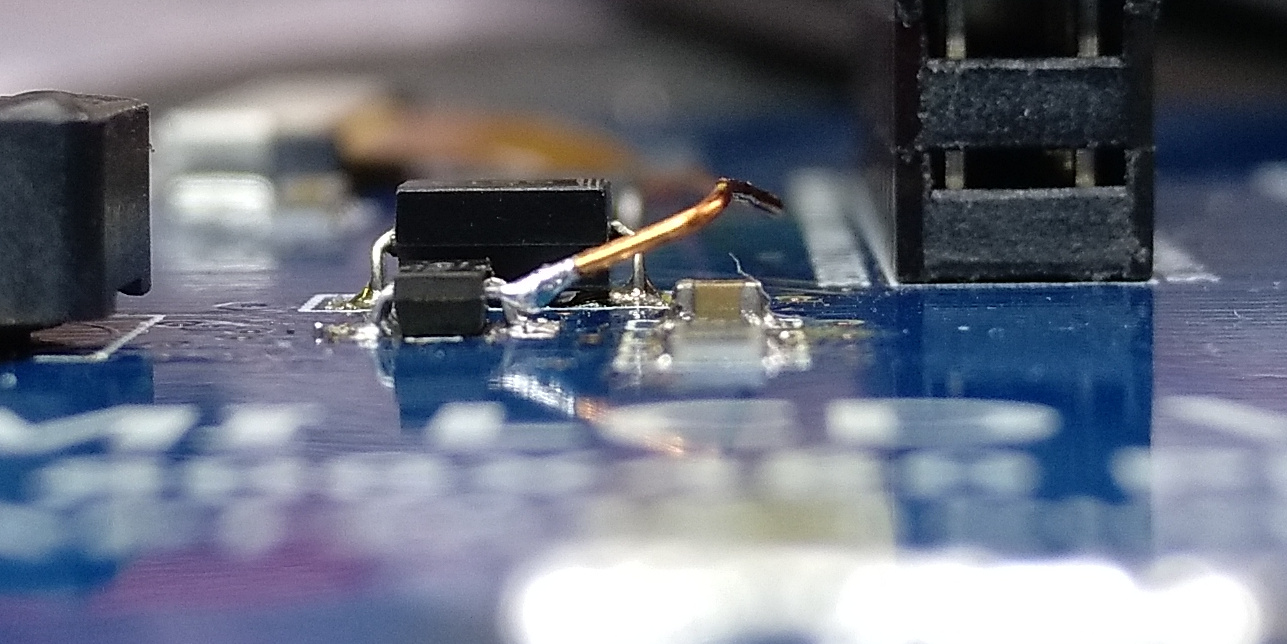
So the screen from here is working in Kodi now (LCD datasheet / pinout), but it draws a lot of power when the backlight is on (~200mA extra). We want to turn at least the backlight off, leaving the touchscreen active so we can interact and wake it up again. Buuut the LCD has noContinue reading “Adding backlight control to a 5″ HDMI screen (and Kodi)”
Installing and switching gcc/g++ versions in Debian
Installing newer gcc/g++ versions is easy: If your system does not provide the new versions, you might still be able to get them via a different repository. Add the toolchain repository to your system and update your sources: Now you should be able to install gcc/g++. The real problem comes after that. How to makeContinue reading “Installing and switching gcc/g++ versions in Debian”
Raspberry Pi setup / configuration stuff
I keep forgetting the stuff and always start over when I have to reformat or the SD card breaks, so here’s a collection of useful tidbits when setting up and configuring a Pi. I’ll expand this page whenever new stuff pops up… Adding a root password When you try to su, you can’t when noContinue reading “Raspberry Pi setup / configuration stuff”
 Lektion des Tages